

What is ERP?
ERP stands for enterprise resource planning. An ERP system is business software that runs a company's core processes (sales, purchasing, stock, accounts and customer records) from one shared database instead of from separate spreadsheets and disconnected programs.
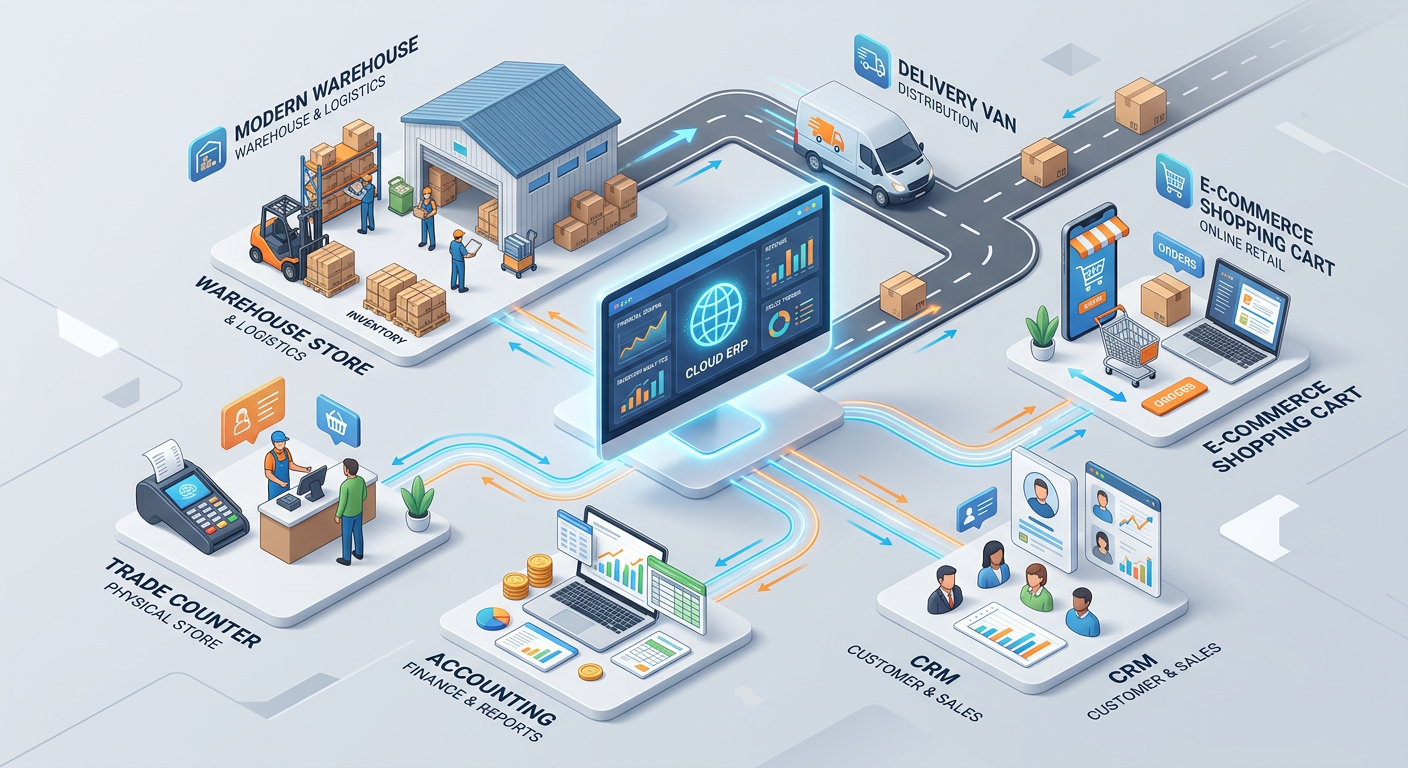
In practice, that means a sales order, the stock it reserves, the purchase order that replenishes it, the invoice that follows and the payment that clears it all live in one system. Everyone works from the same up-to-date figures, so there is no re-keying and no arguing over whose spreadsheet is right.
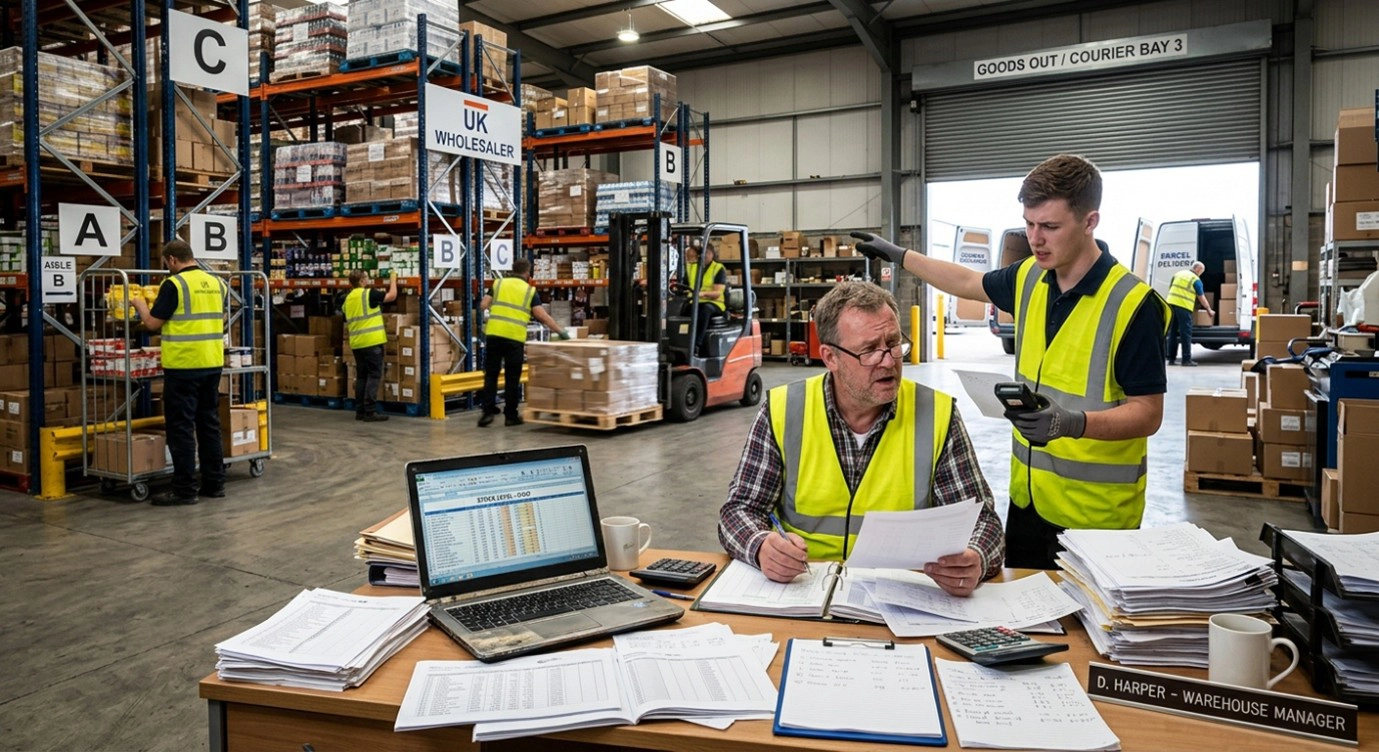
The phrase sounds like it belongs to large corporations, but ERP software is used by businesses of every size. For a UK wholesaler, distributor or merchant, it is usually the system that replaces a patchwork of accounting software, stock spreadsheets and email.
ERP meaning: what the letters stand for
- Enterprise: the whole organisation, not one department
- Resource: the things the business depends on, such as stock, money, people, suppliers and customers
- Planning: using accurate, current data to decide what to buy, sell, make and ship
The term was coined in the 1990s, growing out of earlier manufacturing planning systems. Modern ERP is a very different product: it is usually cloud-based, accessed through a browser, and built to connect with websites, scanners, payment tools and other software.
How does an ERP system work?
The key idea is a single database. Each part of the business uses its own screens and workflows, but they all read from and write to the same underlying data.
Take one order as an example:
- A customer orders online or by phone, and the sales order is created with the customer's agreed prices.
- The system checks live stock and reserves the items.
- If stock is short, it flags the shortfall or suggests a purchase order to the preferred supplier.
- The warehouse picks, packs and dispatches, and stock levels update automatically.
- The invoice is raised and posted to the ledgers without anyone re-typing it.
- Credit control sees what is outstanding, who is overdue and when to chase.
Because every step shares the same data, managers can see where an order is at any moment, rather than asking around.
What are the main ERP modules?
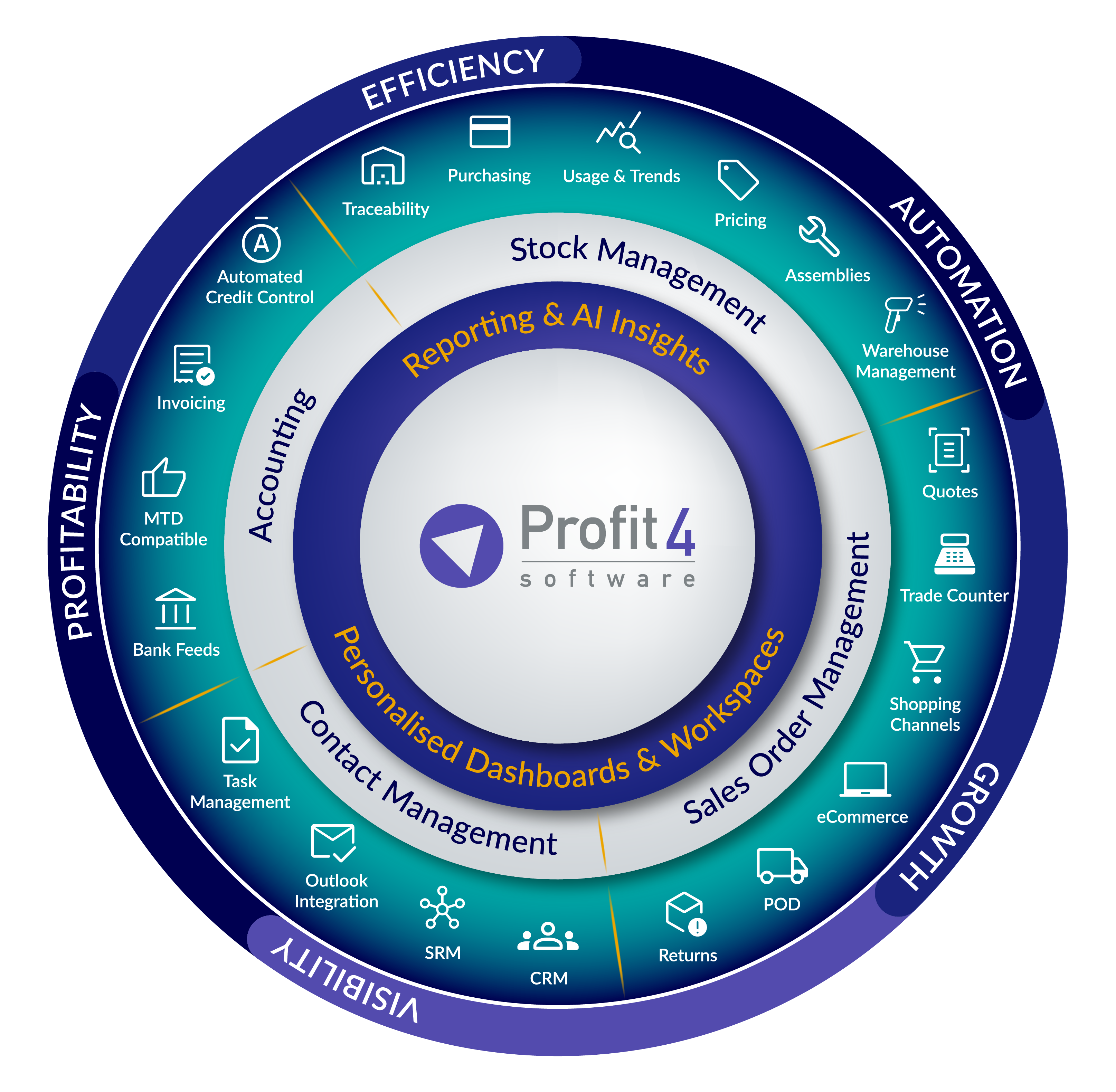
ERP software is usually sold as a set of modules that work together. The exact names vary by vendor, but these are the ones most UK wholesale businesses rely on:
Sales order processing: quotes, orders, customer-specific pricing, returns and credit notes
Purchasing: purchase orders, supplier records, goods-in and replenishment suggestions
Inventory and stock control: real-time stock levels, locations, batch and serial tracking, stock takes
Warehouse management: picking, packing, barcode scanning and dispatch
Accounts: sales, purchase and nominal ledgers, VAT, bank feeds, credit control
Customer and supplier management: contact history, terms, accounts and performance
Reporting and analytics: margins, sales trends, stock turn and cash flow dashboards
eCommerce and integrations: online trade portals and marketplaces connected to live stock and pricing
A good ERP lets you start with what you need and add more later, as your business grows.
ERP examples: what it looks like day to day
A builders' merchant uses ERP to hold trade-specific pricing, process trade-counter sales and manage deliveries from the same stock figures its online customers see.
An electrical wholesaler uses it to handle thousands of product lines, supplier price updates and fast order-to-cash cycles, so cash is collected sooner.
A horticulture distributor uses batch and expiry tracking to stay on top of dated stock and compliance records.
In each case the ERP replaces several separate tools and gives the owner an authoritative version of the data.
AI is rapidly transforming modern ERP platforms, turning traditional software into intelligent, predictive tools that automate complex workflows. While today's ERP systems excel at centralising your core business data, layering artificial intelligence onto cloud software takes efficiency a step further by uncovering real-time insights, forecasting trends, and eliminating repetitive manual tasks.
What are the benefits of ERP?
- One central data hub. Everyone sees the same stock,orders and balances, which cuts errors and disagreements.
- Less manual work. Orders, invoices and purchase orders flow throughwithout re-keying.
- Better stock control. Real-time stock visibility reduces stock-outs,over-ordering and "missing" stock.
- Faster cash collection. Linking orders, invoices andcredit control shortens the time from order to payment.
- Better decisions. Margin, sales and cash flow reportsare available when you need them rather than at month end.
- Room to grow. A system that scales lets you addcustomers, products, sites and sales channels without adding the same amount of admin.
OGL's own survey of 250+ UK wholesalers and distributors found that 88% run multiple software systems and 98% still use some manual processes, even though 82% agree that an ERP system gives greater visibility and control of stock.
57% of managers named reduced admin time as the main benefit of a central ERP.
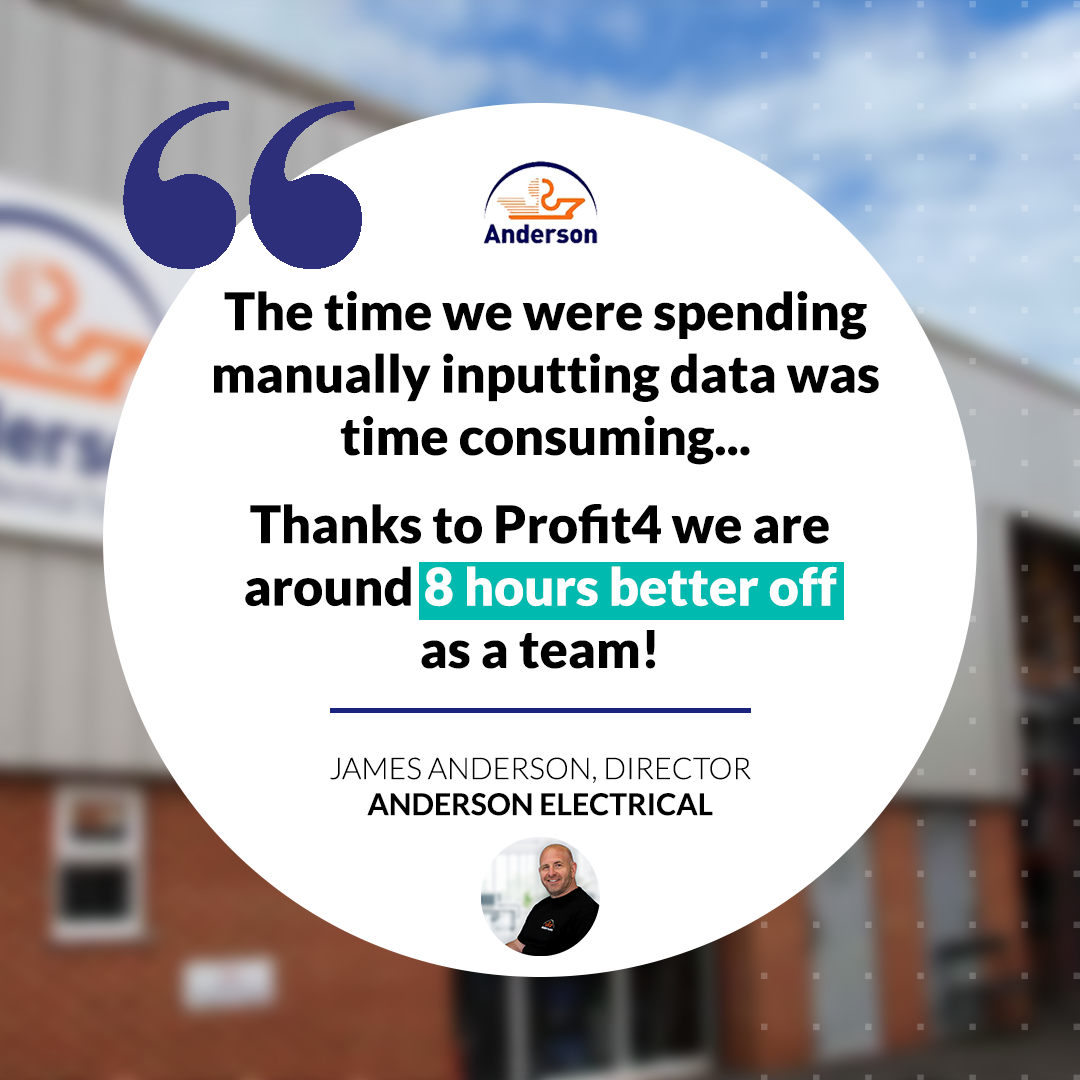
A great example of this is Anderson Electrical, who implemented Profit4 for just this reason, saving 8 hours admin per week.
"The amount of time we were manually spending on orders & inputting information was consuming. Thanks to...Profit4 we are around 8 hrs a week better off as a team, which we are now spending on making up orders quicker, so our customers wait even less time after ordering for delivery."
Top 10 features to look for in ERP software for wholesalers, merchants and distributors
Whatever you sell, from electrical and plumbing supplies to cleaning products, fixings or medical equipment, these are the capabilities worth putting on your requirements list.
Wholesalers in 2027 also need strong multi-channel selling: in OGL's own survey, 82% said selling online is important to them.
- Multi-location, real-time stock management. See what is on the shelf, on order and allocated to sales orders across every depot, so the right products are in the right place at the right time.
- Multi-channel sales order management. Orders from the trade counter, sales reps, sales office, eCommerce site and marketplaces such as Amazon and eBay all land in one system, with prices, customer accounts and product data kept in step.
- Order processing automation. Workflows that move an order from sales to warehouse, purchasing, and accounts without re-keying, reduce errors and give managers a clear view of performance.
- Sales and marketing activity tracking. Built-in contact management (CRM) stores customer and prospect history, tracks quotes and leads, and lets reps on the road work from the same data.
- Integrated warehouse management. Look for perpetual stock counts, returns handling, carrier integration and barcode scanning. If you assemble or kit products, check for works orders and bills of material too.
- Stock planning and purchasing. Buying and sales patterns feed demand planning, so you avoid both over-stocking and stock-outs.
- Integrated accounting. Orders, invoices, credit notes, overdue accounts, on-stop customers and supplier payments sit in the same system, which improves cash flow and reporting.
- Point of sale (POS) integration. A trade counter POS connected to live stock, customer accounts and multi-depot locations lets staff check credit status, add customers and up-sell at the counter.
- Returns management. Restocking, write-offs and customer credits are handled in the system rather than by hand, which protects the customer experience.
- Advanced reporting. Targets, department performance and board-level reporting come from the same real-time data, so decisions rest on facts rather than gut feel.
What are the disadvantages and risks?
ERP is a significant project, and an honest guide should say so:
- Implementation takes effort. Data migration, process mapping and staff training all need time from your team.
- Poor fit costs more than a high price. A system built for manufacturers can frustrate a distributor, and the reverse is also true.
- Customisation can get expensive. Heavy bespoke work makes upgrades harder and ongoing costs higher.
- Change is hard. Staff used to spreadsheets need support and a clear reason to switch.
Most of these risks shrink when you choose a supplier that knows your industry and has a structured implementation process.
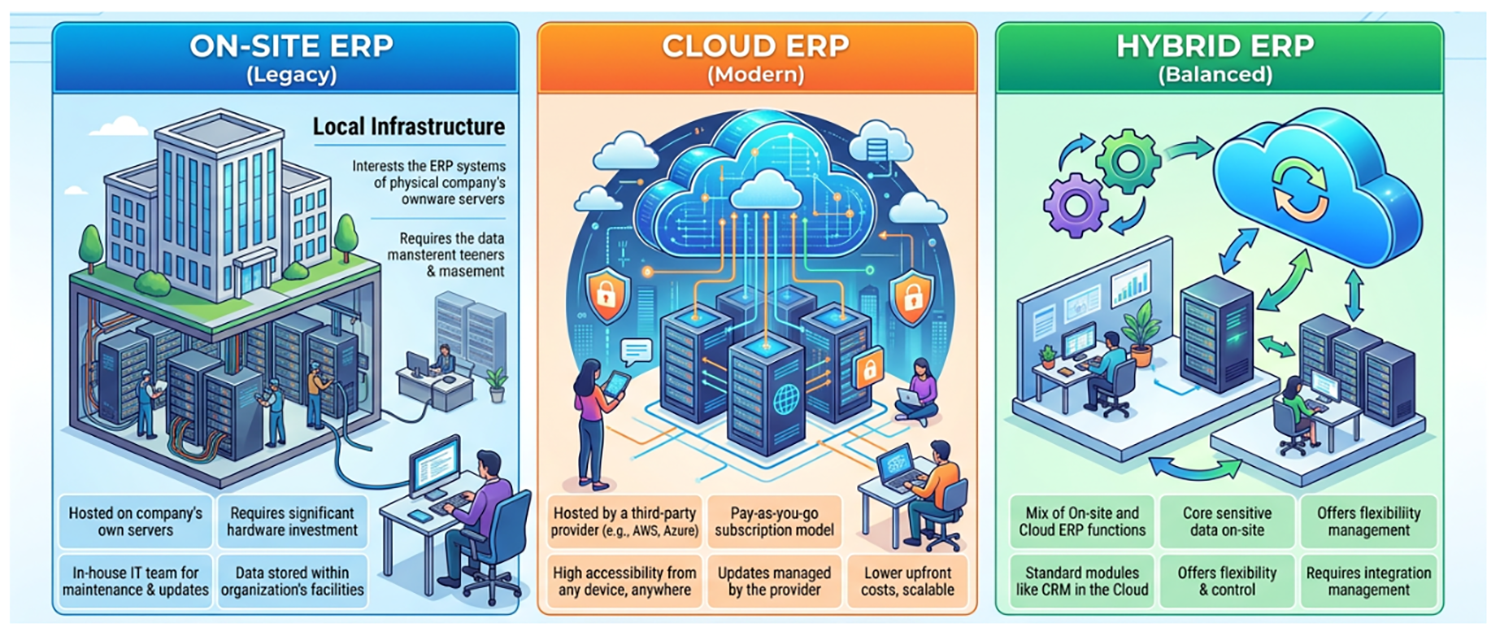
Types of ERP: cloud, on-premise and hybrid
- Cloud ERP runs on the supplier's secure servers and is accessed over the internet. It is quicker to start, easier to keep up to date and usually priced by subscription.
- On-premise ERP runs on your own servers. It gives more direct control but brings hardware, security and upgrade responsibilities.
- Hybrid ERP keeps some data or functions on site and others in the cloud.
Most UK SMEs now start with cloud ERP, although some businesses with specific hosting needs still prefer on-premise or hybrid options. Ask any potential supplier which deployment options they support.
ERP vs accounting software
Accounting software handles money: invoices, bills, VAT and reports. ERP covers the accounting plus the operations behind it: stock, purchasing, sales orders, warehouse and customer service.
If you mostly need to produce invoices and file VAT returns, accounting software may be enough. If you hold stock, run purchase orders, take orders across several channels or struggle to see what is in the warehouse, you have probably outgrown it. Many businesses reach that point when they are managing stock in spreadsheets alongside their accounts.
ERP vs CRM
A CRM (customer relationship management) system manages sales contacts, enquiries and pipelines. An ERP system manages the transactions and operations that follow the sale. Many ERP systems include basic CRM features, and most can integrate with a dedicated CRM if it already exists.
7 signs your business needs an ERP system
- You re-type the same order or product data into more than one system.
- Stock figures in the system and on the shelves rarely match.
- Month-end reporting depends on one person's spreadsheet.
- You cannot say quickly which customers are overdue or what is on order.
- Adding customers or sales channels increases admin almost one-for-one.
- Different teams disagree on which numbers are correct.
- Your current software is slowing growth rather than supporting it.
How to choose an ERP system
- Define your processes first. List your order, purchasing, stock and invoicing steps, and mark what causes the most delay or error.
- Look for industry fit. Ask for examples from businesses like yours, not just a general demo.
- Check the core modules. Confirm stock control, purchasing, sales orders, accounts and reporting meet your needs without heavy customisation.
- Ask about integrations. Your website, marketplaces, scanners and payment providers should connect cleanly.
- Understand the deployment options. Cloud, on-premise or hybrid, and who handles updates, backups and security.
- Examine the implementation plan. Who migrates your data, who trains your staff and how long does it take?
- Consider support. Check where support is based, how quickly it responds and who you speak to.
- Compare total cost. Look at licences or subscriptions, implementation, training, support and any future modules, not just the headline price.
ERP for UK wholesalers and distributors
Wholesale and distribution have particular needs that generic ERP often handles badly: customer-specific and matrix pricing, large product ranges, supplier price changes, trade-counter and online sales on the same stock, and tight margins that depend on collecting cash quickly.
OGL Software has built ERP for UK stockists, merchants, wholesalers and distributors for over 30 years, and more than a thousand UK users rely on it. Its cloud-based platform, Profit4, is designed around these distribution workflows: stock control and purchasing, sales order processing, credit control, warehouse tools and eCommerce, all on one database.
Key features which wholesalers and distributors like include the trade counter, warehouse management system and eCommerce channels that all operate as one with minimal manual input, giving you the ability to scale without the administration costs that come with manual systems.
Profit4’s core stock control module has also delivered significant results for many users.
Case study: ABM Electrical
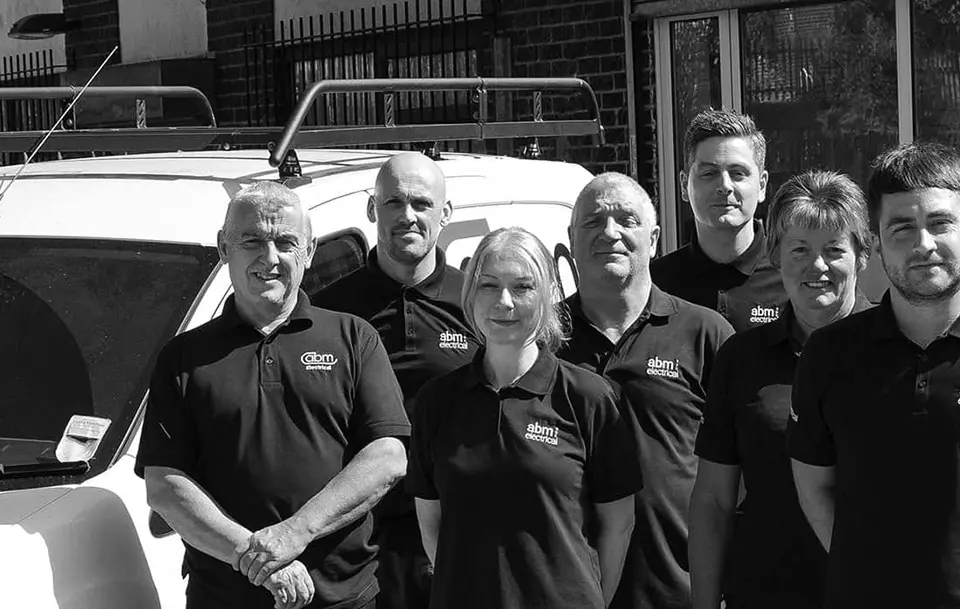
ABM Electrical, a Stockport electrical wholesaler with over 125 years’ combined experience, know everything there is to know about electrical wholesale, catering to both B2C and B2B customers with a product offering of over 23,000 items.
Mark Ashworth, Commercial Director, was looking for a way to get stock under control, avoid collecting obsolete stock and create a lean warehouse:
“Since going live on Profit4, we have been able to get our stock control in order & reduced our stock holding down at any one time by about £100,000 a month. This freed a lot of cash that enabled us to reinvest elsewhere into the business & grow”.
Frequently asked questions
What does ERP stand for?
ERP stands for enterprise resource planning. It describes software that manages a company's main business processes, such as sales, purchasing, stock and accounts, in one connected system.
What is an ERP system in simple terms?
An ERP system is one piece of software that connects your orders, stock, purchasing and accounts, so everyone works from the same up-to-date information instead of separate spreadsheets and programs.
What is ERP software used for?
Businesses use ERP software to process orders, control stock, manage suppliers, raise invoices, chase payments and report on performance. For distributors, it is typically used to keep stock accurate and speed up the order-to-cash cycle.
What are examples of ERP systems?
Well-known ERP products include SAP, Oracle NetSuite, Microsoft Dynamics 365 and Sage, as well as industry-specific systems such as OGL's Profit4 for UK wholesale and distribution. The right choice depends on your industry, size and processes.
How much does an ERP system cost?
Cost depends on the number of users, the modules you need, deployment (cloud or on-premise), implementation and support. Because every business is configured differently, reputable suppliers usually quote only after understanding your requirements.
How long does ERP implementation take?
It depends on the size of the business, the amount of data to migrate and how much configuration is needed. Cloud ERP is generally faster to deploy than traditional on-premise systems. Ask any supplier for a realistic plan based on your processes.
Is ERP only for large companies?
No. Many ERP systems are built for small and medium-sized businesses, and cloud delivery has made them accessible to companies that could not previously afford them.
What is the difference between ERP and accounting software?
Accounting software manages finances. ERP includes accounting and also manages stock, purchasing, sales orders, warehouse and customer operations in the same system.
Talk to ERP specialists who know wholesale
If your business is outgrowing spreadsheets and disconnected systems, a short conversation can clarify what you need. OGL offers a free, no-obligation initial meeting and fact-find, after which we can explain how Profit4 would be configured for your business.

Guide Verified & Audited By
Head of New Business Development at OGL Software ERP Software for Stockists, Distributors and Merchants | Designed, Developed and Supported in the UK