
Futureproof your Ironmongery & Architectural Supplies business
Ironmongery and architectural suppliers can benefit from an ERP solution to better manage stock control and productivity. Learn how OGL Software can help.

With 50 years' experience in the wholesale and distributor sector, we have put together a 14-page guide on the key facts about ERP. Download yours for free.



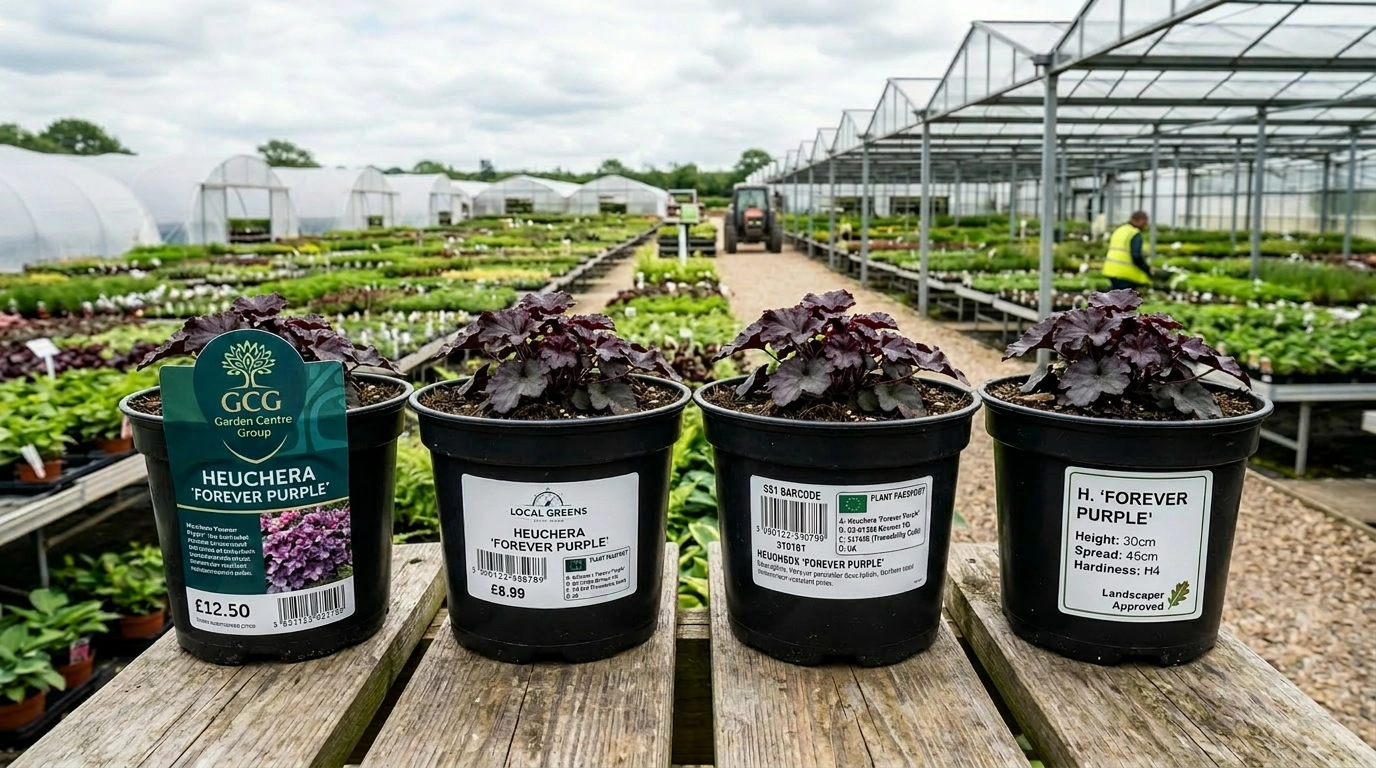


Major retail buyers and garden centre groups enforce strict supplier compliance manuals. Delivering plants with missing barcodes, incorrect retail pricing, or wrong customer branding triggers immediate cost-recovery penalties or entire pallet rejections.
The retail supply chain is currently in the middle of a massive global overhaul, with GS1 standards pushing widespread 2D barcode adoption by 2027. Wholesalers relying on legacy, manual labelling setups will struggle to encode the massive data loads (batch numbers, traceability, and customer variants) that modern systems require.
There is a distinct difference between Plant Passport regulations and the GS1 barcode standards.
The Plant Passport is a regulatory document: It is a legal, biosecurity requirement mandated by DEFRA / GOV.UK to trace green stock back to its grower to stop the spread of plant diseases. It requires specific human-readable information, such as the botanical name, country of origin, and a traceability batch code. Read more on plant passports here.
GS1 barcoding is a commercial tool: It is a commercial standard used by retailers (like supermarkets and major garden centre groups) to scan items at the point of sale (POS), track internal inventory, and manage pricing.
Walk into any garden centre in the UK and the plants on display will be labelled — often with the garden centre's own branding, their specific price point, their product description, and sometimes their own pot label design. That retail-ready presentation doesn't arrive from the wholesaler by accident. It is the result of a labelling operation that, in many horticulture wholesale businesses, represents a significant and often underestimated operational overhead.
 Customer specified plant labelling
Managing customer-specific labelling — different label formats, different branding requirements, different product information for different customers, applied correctly to the right products before dispatch — is one of the operational challenges that distinguishes horticulture wholesale from most other distribution sectors. Done manually, it is time-consuming, error-prone, and a bottleneck at peak. Done through a purpose-built ERP, it becomes an automated workflow that adds commercial value without adding operational cost.
This article explains how customer-specific labelling works in horticulture wholesale, why the manual approach creates problems, and what a system-integrated labelling capability looks like in practice.
In most wholesale distribution sectors, a product label carries standard information — product code, description, barcode, quantity. It is the same for every customer. In horticulture wholesale, the picture is fundamentally different.
Garden centres have their own branding requirements.
A garden centre group may require all supplied plants to carry their own branded labels — with their logo, their colour scheme, and their specific label format — rather than the supplier's generic label. A regional garden centre may want a simpler version of the same. A landscaper doesn't want a retail label at all.
Price points vary by customer.
Where the label carries a retail price, that price will differ by customer — reflecting different retail strategies, different regional pricing, or different product positionings. A label produced for one customer cannot simply be reused for another.
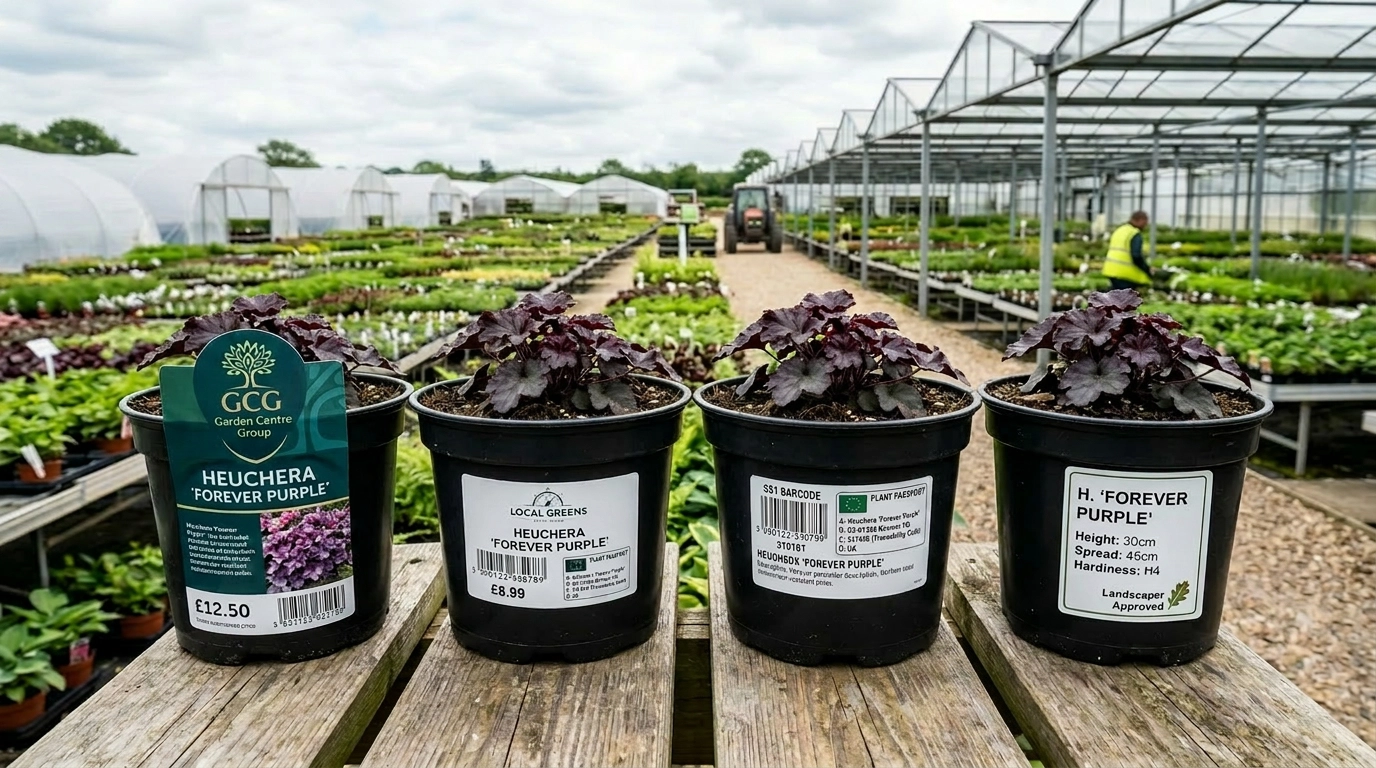 Varying label requirements from customers.
Product information requirements differ.
Some customers want detailed growing information on the label. Others want care icons. Some want specific regulatory or compliance statements. Others want the label in a specific language for export markets. The product information component of a label is not standardised across customers.
Label formats vary by product type.
Pot labels, stake labels, bench cards, swing tags, and sleeve labels are all used in different parts of a horticulture range, and different customers may require different formats for the same product.
Volumes are significant at the peak.
During the spring season, a horticulture wholesaler processing thousands of plants per day needs to produce and apply labels at a corresponding pace. A labelling process that involves manual steps — looking up the label requirement for each customer, designing the label, printing separately from the dispatch workflow — becomes a bottleneck that slows dispatch and introduces errors.
In businesses that have not integrated labelling into their ERP, the typical approach involves a combination of manual lookups, separate label design software, and individual print runs for each customer or order.
The workflow commonly looks something like this: an order is confirmed; someone checks a spreadsheet or folder of saved templates to find the correct label format for that customer; the label file is opened in a design application, updated with the relevant product and pricing information, and printed; the labels are then manually associated with the correct plants before dispatch.
The problems with this approach are predictable and serious:
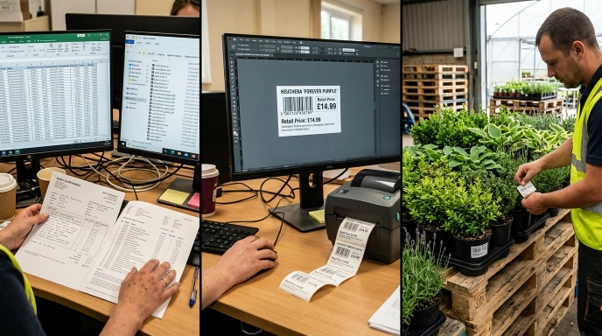 Step by step label production.
Errors in customer or product matching.
When label assignment is a manual step dependent on the right person checking the right reference, mistakes happen. The wrong label format is used. The wrong price is printed. A customer's branding is applied to another customer's order. These errors are discovered either at the point of dispatch (if the warehouse team catches them) or by the customer when the plants arrive — which is the worst possible time.
Time and resource overhead.
Managing labels manually for a range of customers with different requirements takes time that scales directly with order volume. During peak season, when that order volume is highest, the labelling process competes for resource with picking, packing, and dispatch.
Version control is difficult.
When a customer changes their label design or price list, every label template associated with that customer needs to be updated. In a manual system, this requires someone to locate and update each affected file individually. Templates that are missed will produce incorrect labels until someone catches the error.
New customer onboarding is slow.
Setting up a new customer's labelling requirements involves creating the label template, testing it, associating it with the correct products in the customer record, and building it into the dispatch workflow. In a manual system, this is a project. In an integrated ERP, it is a configuration task.
An ERP with a native customer-specific labelling capability manages the entire process within the platform — from label template storage through to automatic print generation as part of the pick and pack workflow.
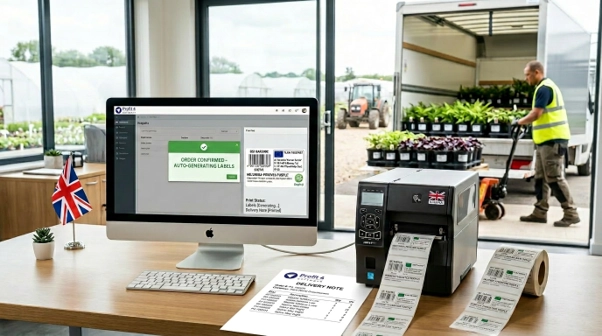 Automated label production based on customer requirements
Label templates stored against customer records.
Each customer account in the system can hold one or more label templates — defining the format, layout, branding elements, and data fields to be included. Templates are associated with specific product categories or individual products, so the system knows which template to use for which product for which customer.
Dynamic data population.
Rather than manually populating label fields for each order, the system populates the label automatically from the order record — drawing product description, variety name, pot size, customer-specific price, care information, and any other relevant fields from the data already held in the system. There is no manual data entry step between order confirmation and label production.
Automatic label generation at dispatch.
When an order is confirmed and moves into the pick and pack workflow, the system generates the label print job automatically. The correct labels for each customer's products are queued for printing without a manual trigger, and the print run is aligned with the pick list — so labels are produced in the sequence the warehouse team is working in.
Barcode and plant passport integration.
Where the label needs to carry a barcode — for the customer's own retail scanning, or for plant passport traceability — the system generates the barcode from the product and batch data already held in the order record. The label is a single output that combines retail information, compliance data, and traceability in one.
Version management and audit.
When a customer updates their label requirements, the template is updated in the system. The change takes effect for the next order — and the version history is maintained, so the team can see what label was used on any historical order.
Labelling is not simply a logistical function in horticulture wholesale — it has a direct commercial dimension that affects the customer relationship.
Retail presentation is a measure of supplier quality.
A garden centre that receives plants labelled incorrectly — wrong price, wrong branding, inconsistent format — has to correct it before the plants go on sale. That is a cost to the garden centre (in staff time and, potentially, lost sales while the correction is made) that will be attributed to the supplier. Repeated labelling errors damage the perception of the supplier's operational quality and create friction in the relationship.
Correct labelling reduces returns and queries.
Plants labelled clearly and correctly — with accurate care information, correct variety names, and readable barcodes — generate fewer customer queries and fewer returns due to mislabelling. The downstream customer service cost of a labelling error can significantly exceed the cost of the label itself.
Retail-ready presentation adds value.
A horticulture wholesaler that can supply plants labelled to the garden centre's own specification — ready to go straight onto the shelf without any additional handling — is offering a higher-value service than one that supplies unlabelled or generically labelled stock. For larger garden centre accounts that have invested in their own retail brand identity, this capability is not a nice-to-have — it is a supply requirement.
Unique label production for each customer
The commercial and operational case for integrated labelling becomes most compelling during the spring peak, when the volume of plants being labelled, picked, and dispatched is at its highest.
Consider a horticulture wholesaler dispatching 5,000 plants per day across thirty garden centre customers during the peak week of the spring season. Each customer has different labelling requirements. In a manual labelling process, ensuring the correct label is on every plant, for every customer, in the correct format, with the correct price, involves a significant allocation of time and attention.
In an integrated ERP, that same operation is largely automated. The label for each plant is determined by the product and customer combination. The print job is generated from the order record. The warehouse team follows a pick sequence that aligns with the label print run. The dispatch goes out correctly labelled, every time, without a dedicated manual check step.
At peak volume, the difference between a manual and an automated labelling process can translate directly into the number of orders that can be dispatched per day. That is a commercial impact on seasonal revenue, not just an operational efficiency saving.
In horticulture wholesale, plants are dispatched not just individually but on Danish trolleys, CC carts, and other transport units. These transport units need their own identification — which customer they are going to, which products are on them, how many units are on the load, and which driver or route they are allocated to.
Transport unit labelling, like product labelling, benefits from integration with the order and dispatch workflow. When the system manages the allocation of products to transport units as part of the dispatch process, it can generate transport unit labels automatically — carrying the relevant order, customer, and route information — alongside the product labels. The dispatch team has everything it needs, produced by the system, without manual compilation. Further benefits of Profit4 for UK wholesalers can be found here.
Profit4 includes advanced customer-specific labelling and label printing capability developed specifically for the needs of horticulture wholesale. Label templates are stored against customer accounts and product records, populated automatically from order data, and printed as part of the dispatch workflow — without manual intervention at each transaction. Transport unit labelling, including Danish trolley configuration and visualisation, is managed within the same integrated platform.
This capability was a specific development priority in OGL Software's partnership with Bransford Webbs, reflecting the operational importance of labelling in a business supplying garden centres at scale across the UK.
To see how Profit4 manages customer-specific labelling for your horticulture wholesale operation, book a demo with our team.

Head of New Business Development at OGL Software ERP Software for Stockists, Distributors and Merchants | Designed, Developed and Supported in the UK
